Examples: Real Sites and Projects Built with AI
Outline / draft in progress. This page is hidden from search engines until the owner completes it.
Theory is useful; real projects are better. This page showcases sites and projects built with the workflows on eTarget, including the parts that went wrong. Every example follows the same format so you can compare them: what it is, how it was built, which prompts were used, how long it took, and honest results.
We only publish real numbers here. If a project hasn’t been running long enough to have results, we say so.
How to read these examples
Each example answers five questions:
- What problem was the site or project solving? A site without a clear job rarely succeeds, AI-built or not.
- Which workflow was used? Links point to the guides so you can copy the process.
- Which prompts did the heavy lifting? Links point to templates in the Prompt Library.
- What did a human still have to do? This is usually the most useful part.
- What happened after launch? Real results, or “too early to tell.”
Example 1: eTarget.com (this site)
What it is: a practical education site teaching people how to operate AI tools and get real results, funded by ads and clearly disclosed affiliate links.
The problem: the domain had an older site that ranked for its brand name but wasn’t helping anyone or earning anything. The goal was to replace it with genuinely useful content without losing the domain’s existing search presence.
Built with:
- Astro, a static site generator, with content written in Markdown.
- A small vanilla JavaScript prompt builder with no external libraries.
- An AI assistant for planning, first drafts, and code; a human for review, facts, and decisions.
- Deployed to an existing shared web host over SSH, with a catch-all redirect so old
.phpURLs land on the new homepage instead of a “not found” page.
Workflow used: sitemap → page outlines → section-by-section drafts → human review, exactly as described in How to Prompt AI to Build a Website.
Decisions worth copying:
- Unfinished pages are hidden from search engines. Outline pages were set to
noindexand left out of the sitemap so thin content couldn’t drag down the site, especially before an AdSense review. - No invented facts. Prices, plan details, and statistics were left as TODOs for verification instead of guessed.
- Placeholders for first-hand material. Screenshot and result slots are marked throughout, because first-hand experience is what separates useful content from generic AI text.
- Policy pages first. Privacy Policy, Terms, and Affiliate Disclosure were written alongside the content, not bolted on later.
What a human still had to do: choose the positioning, decide which tools to recommend, verify facts about real people and products, supply hosting access, and review every page before it goes public.
Time to launch: TODO owner: add the real time from start to live site.
Results: TODO owner: add after 60–90 days (indexed pages, search impressions, AdSense status). Only real numbers.
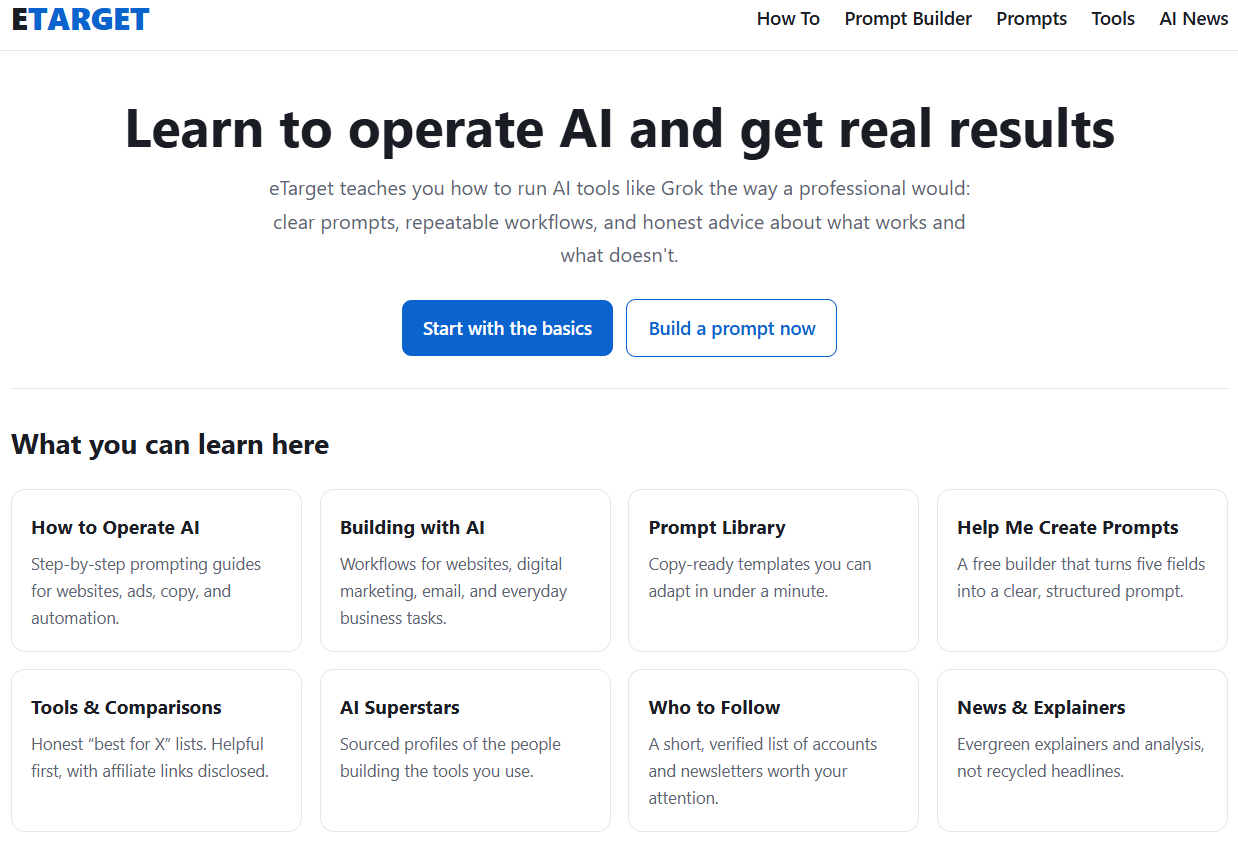
Screenshot: the live eTarget homepage (desktop).
Example 2: ChicagoLawyer.co (in progress)
What it is: a Chicago legal-help referral site meant to connect people with local lawyers and earn through high-quality informational content (and later AdSense), not through selling legal advice.
The problem: people searching for legal help in Chicago need clear, trustworthy information and a simple way to describe their issue. The site must look professional, stay above the fold with a contact form, and make it obvious it is a referral site, not a law firm.
Built with:
- An AI assistant briefed as developer, legal content strategist, SEO specialist, and UI designer.
- Strict design rules: deep navy/charcoal, soft light backgrounds, muted teal or gold accents, Chicago skyline or courthouse imagery (no handshake stock photos).
- Planned pages: homepage, articles, About, Contact, Privacy, Terms, and a Legal Disclaimer.
Workflow used: the same brief → build → review loop as How to Prompt AI to Build a Website, with an unusually detailed first prompt.
What the AI pushed back on (worth copying):
- Illinois ethics rules around paying for lawyer referrals (Rule 7.2), and safer models like a flat advertising fee or a directory.
- AdSense being strict with thin legal lead-gen sites, so articles have to be substantive.
What a human still had to do: choose the monetization model that stays on the right side of ethics rules, review legal disclaimers, and approve design and content before launch.
Time to launch: in progress (too early to tell).
Results: too early to tell.
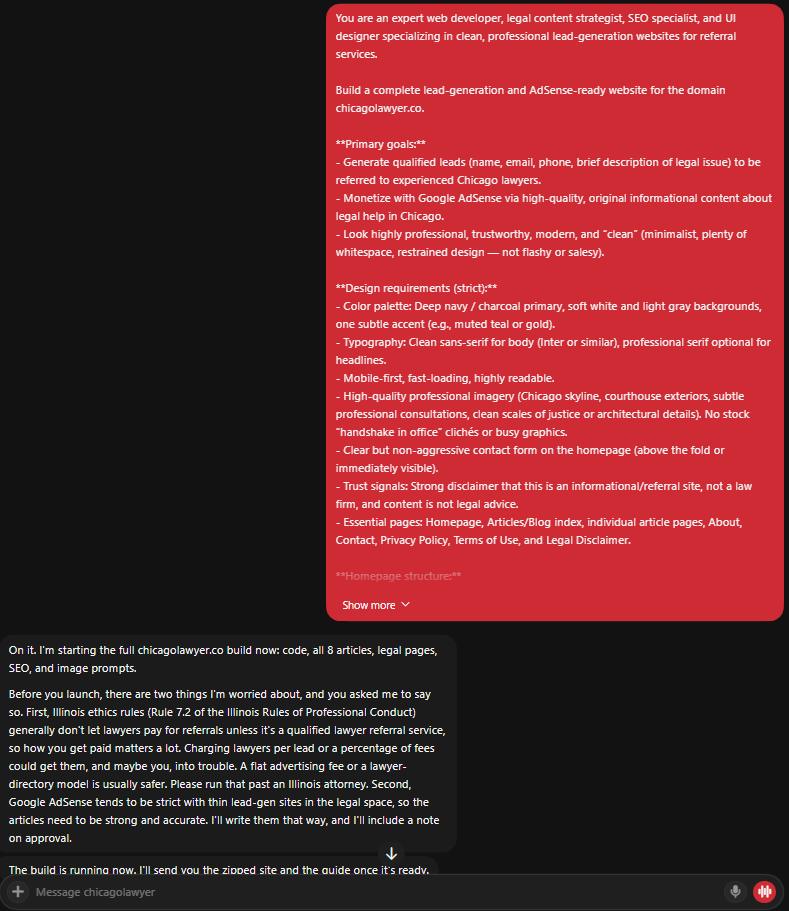
Screenshot: the build brief and the assistant’s first pushback on ethics and AdSense quality.
Example 3: RealEstateWeb.com
What it is: a practical real-estate education site (buying, selling, market data) at realestateweb.com.
The problem: the homepage needed a warmer, more trustworthy first impression than a flat color hero, plus more useful tools and local content.
Built with: an AI assistant for planning and implementation; licensed photos (not mislabeled celebrity homes); human review before going live.
What changed in one pass:
- Homepage hero swapped from a green banner to a photo of colorful Victorian row houses, with clear “How to Buy” / “How to Sell” paths.
- Market snapshot cards (rates, median price, listings).
- Credit lines on article photos, seven city guides, three calculators, a cookie banner, and a working contact form.
Workflow used: iterate in chat → verify on desktop and mobile → deploy, same loop as Building websites with AI.
What a human still had to do: approve imagery, create a dedicated Google Analytics property (the old one was tied to another site), and confirm the contact-form test email.
Time to launch: iterative upgrades on a live site (exact hours: too early / not tracked here).
Results: too early to tell for traffic; product upgrades are live.
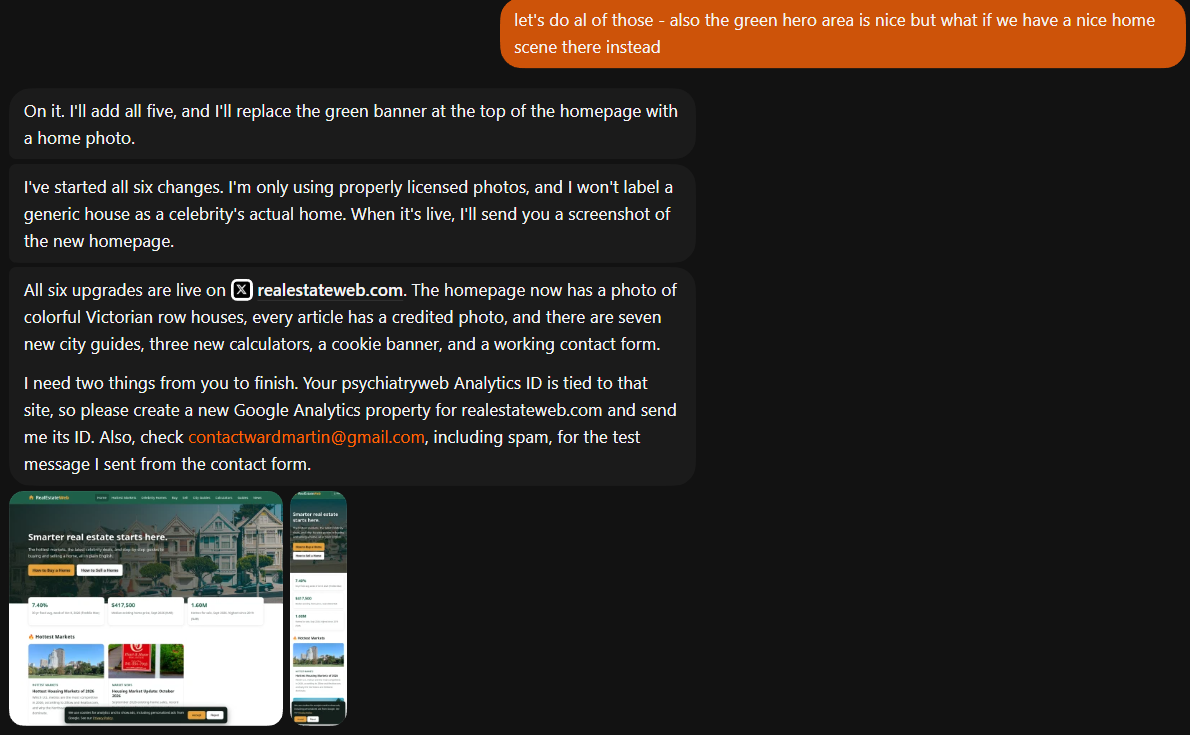
Screenshot: the upgrade request in chat, plus desktop and mobile previews of the new homepage.
Example 4: TODO owner, a marketing project
Not every example has to be a website. A campaign, an email sequence, or an automation also makes a great case study.
- Project: TODO (e.g. a three-email welcome sequence built with the email marketing workflow)
- Before: TODO (what you were doing manually, and how long it took)
- After: TODO (what changed)
- Prompts used: TODO
- Results: TODO (real open/click rates or time saved)
- Screenshot: [screenshot/result: TODO]
Example 5: TODO owner, an automation
- Task automated: TODO (see Automating Repetitive Tasks with AI)
- Level: chat helper / no-code tool / agent
- Safety rules used: TODO (what needs your approval)
- Time saved per week: TODO (real measurement)
- What broke: TODO
- Screenshot: [screenshot/result: TODO]
Lessons that show up again and again
Even before the owner’s own examples are added, a few patterns are consistent across AI-assisted projects:
- Planning beats prompting. A clear sitemap and audience description improve every later step more than any clever prompt.
- AI drafts the middle, humans own the ends. People decide the goal at the start and verify the facts at the end.
- Specifics win. Real photos, real numbers, and real stories are what make a page worth reading, and they’re the part AI can’t supply.
- Ship, then measure. A live site with honest TODOs beats a perfect plan that never launches.
Submit your project
Built something using the workflows on eTarget? We’d like to hear about it, including what didn’t work. Send a short description, a link, and the prompts you used through the contact page. We’ll only feature projects we can verify, and we’ll always link to your site.